
Organize your menu bar apps
12 October 2020

We are excited to announce the public beta of Bartender 4 for macOS Big Sur
To find out about the great new features and to download Bartender 4, visit the Bartender 4 Homepage.
12 October 2020
We are excited to announce the public beta of Bartender 4 for macOS Big Sur
To find out about the great new features and to download Bartender 4, visit the Bartender 4 Homepage.
18 August 2020
I know you are all super excited for Bartender on Big Sur (I have been getting all the emails 😂).
As you already know the changes in Big Sur are massive, because of this Bartender needed a complete internal rewrite to get it working on the new macOS beta.
Bartender 4 for Big Sur is coming along well, and testing is progressing, as you can imagine this is a big update and as such it is taking a while to get it ready for public testing.
I will release a beta test build as soon as its ready, and fully tested here. Its just not quite ready yet.
07 July 2020
macOS 11 Big Sur is fantastic and is a big update.
The changes in Big Sur are as much under the hood as the UI, because of this Bartender needs additional work than usual to get it working great on the new macOS beta.
I already have it working reasonably well here, but still have a lot of work to get it working perfectly, but do not worry I will release a test build for all you using the macOS 11 Big Sur betas as soon as possible.
27 September 2019
Bartender version 3.1.6 or newer is designed for macOS Catalina
With macOS Catalina, Bartender requires the Screen recording permission to work.
This is a new Security Setting in macOS Catalina, not a change to how Bartender works.
Bartender does not record the screen.
You can find out more info about Bartender and macOS Catalina's new Screen Recording Permission at Bartender and macOS Catalina Screen Recording Permission
24 June 2019
We are pleased to confirm that Bartender 3 works great with the initial betas of macOS Catalina.
The only change is you will need to enable “Screen Recording” in System Preferences > Security and Privacy > Privacy for Bartender.
This is a new Security Setting in macOS Catalina, and needs to be enabled for the current release of Bartender to work. To give some context to why Bartender uses this;
Bartender needs this permission as it captures images of the menu bar items, it does this for 3 reasons, to make “show for updates” work, to display the menu items in preferences, and to create a smooth transition when switching states. It also get the names of the menu items, this is also covered by the permission.
The current Bartender Test Build release (3.1.0) will prompt you to enable this permission if needed. We recommend you update to the latest test build:
You can update to this version by Accepting Test builds in Bartender Preferences > Updates and checking for updates.e
Or by downloading directly here:
04 June 2019
We are pleased to confirm that Bartender 3 works well with the initial beta of macOS Catalina.
The only current issue we have found is that with macOS Catalina you now need to enable “Screen Recording” in System Preferences > Security and Privacy > Privacy for Bartender.
This is a new Security Setting in macOS Catalina, and needs to be enabled for the current release of Bartender to work. To give some context to why Bartender uses this; Bartender is not recording your screen.
It does capture images of the menu bar items, it does this for 3 reasons, to make “show for updates” work, to display the menu items in preferences, and to create a smooth transition when switching states.
The current release of Bartender will not be able to switch to hidden items, display menu item images in Bartender Preferences or Show items for updates until this is enabled. We will be releasing a update soon that will handle this better.
27 March 2019
Techradar have a great article about using Bartender to declutter your menu bar, worth a look if you are new to Bartender. You can read it at: Techradar: How to declutter your Mac’s menu bar
24 September 2018
With the release of macOS Mojave, we are sure you will be pleased to know that Bartender 3 (3.0.47) is fully macOS Mojave compatible.
In line with changes in macOS Mojave, Bartender 3.0.47 will prompt for accessibility authorization. It has support for dark mode, hardened runtime enabled and is notarized.
You can update to this version by checking for updates in Bartender 3 on macOS Mojave
Or by downloading directly here:
12 June 2018
We have released a test build (3.0.47) for Bartender 3 on macOS Mojave.
This test build will prompt for accessibility authorization (and not crash when its not authorized). It has initial support for dark mode, hardened runtime enabled and is notarized.
Automatic updates for this build are limited to macOS Mojave 10.14 while we test for any backward compatibility bugs etc. So if you update on older systems you will not get automatic updates yet.
You can update to this version by checking for updates in Bartender 3 on macOS Mojave
Or by downloading directly here:
04 June 2018
NOTE: Bartender 3.0.47 is now fully compatible with macOS Mojave.
You can update to this version by checking for updates in Bartender 3 on macOS Mojave
Or by downloading directly here:
macOS Mojave with its dark UI looks fantastic, and we are pleased to say that Bartender 3 works well with the initial beta. The only current issue we have found is that macOS Mojave now explicitly requires you to allow Bartender 3 to control menu items, this can be done in:
System Preferences->Security and Privacy->Privacy->Accessibility.
The current release of Bartender will crash at launch until this is enabled. We will be releasing a fix for this soon, with a prompt directing users. We will also be updating to fully support a dark UI.
15 September 2017
The beneath menu bar Bartender Bar is dead! Long live the in menu bar Bartender Bar!
Bartender 3 introduces a new UI for showing items in the Bartender Bar; they are shown in the menu bar replacing items set to show by default in the menu bar. You can also set items to show in the menu bar all the time, and these will remain visible.
We know this is a big change from having the Bartender Bar beneath the menu bar, but we had to take this big step to be able to improve Bartender and keep it compatible with modern macOS especially High Sierra.
Initially we missed the below menu Bartender Bar too, but once your muscle memory gets used to the new setup and you have organised your items to suit your workflow in Bartender Preferences, and by ⌘+dragging items to a good position.
You can also set items to not disappear when the Bartender Bar items show by setting them to “Always display in the menu bar”.
We think you, like us, will start to feel Bartender now feels even more part of macOS.
29 August 2017
 We are thrilled to announce the first Public Beta of Bartender 3!
Its available to those testing macOS High Sierra, and works on Sierra or newer.
Bartender 3 is a FREE update for all Bartender 2 users.
Bartender 3 has been rewritten for modern macOS. Using the latest technologies and best practices Bartender 3 is more reliable, capable and lays the foundation for future innovations.
You can update to Bartender 3 if you are running macOS High Sierra and set Bartender to take test builds.
You can do this using the buttton below:
This is the initial public beta so please do let us know how you get on with it.
22 June 2017
With the release of macOS High Sierra Beta 2, Apple have tightened SIP (System Integrity Protection) further and this has prevented System Items being controlled by Bartender 2. We are working hard on the best way to move forward with System Items.
NOTE: Using the system component by disabling SIP currently crashes System Items in macOS High Sierra Beta 2 and we do not recommend using it.
12 June 2017
Well WWDC was Fantastic! With some great under the hood improvements and fixes macOS High Sierra, it looks set to be a great release.
Bartender 2 is working great on macOS 10.13 High Sierra Beta 1, which is brilliant, we are continuing testing and will start a Test Build channel specific for High Sierra when and if the need arises.
We know some people feel we have been quiet, but we have been working away researching new features for Bartender 2 and tracking down a couple of pesky bugs that have affected a small number of users (We have been releasing test builds to select users).
Rest assured we have some new features, and stability and performance improvements coming soon.
We have also been working on some new apps that will hopefully be out soon (Shhhh!).
08 September 2016
With the release of macOS Sierra imminent, we are sure you will be pleased to know that Bartender 2 (2.1.5) is fully macOS Sierra compatible.
14 July 2016
We now have a Test Build of Bartender 2 available with support for macOS Sierra.
If your running macOS Sierra you can test it by updating to the latest test build, you can do this using the button below:
15 June 2016
Well WWDC is going great, there has been some exciting announcements and macOS Sierra looks great.
You will be pleased to know we are hard at work on a Test Build of Bartender 2 which is compatible with macOS Sierra. We hope to make this publicly available in the coming weeks.
09 October 2015
We have found the issue with the Install Loop, very sorry its taken a few days.
Unfortunately you will not be able to update automatically while this is happening, as such you will need to download the latest version from here and replace your current version and restart OS X.
It may be that it will still not install after trying the new version
If so you should try quiting Bartender 2.
Then running the below commands in terminal, then try again.
sudo rm -rf /Library/PrivilegedHelperTools/com.surteesstudios.Bartender.BartenderInstallHelper; sudo killall com.surteesstudios.Bartender.BartenderInstallHelper
28 September 2015
We are excited to announce that Bartender 2 has just been released, and we think you will love it!
With support for OS X El Capitan, a beautiful new user interface to match OS X and some fantastic new features it is packed full of goodness.
Bartender has been the way to control the proliferation of menu bar apps since its launch 3 years ago. Every release since has improved performance, added features and maintained compatibility through 6 versions of OS X! (from Snow Leopard to El Capitan) With Bartender 2 we keep going!
Some of the great features of Bartender 2 are highlighted below:
####OS X El Capitan Ready Bartender 2 fully supports OS X El Capitan and can control Apple menu bar items.
####Updated UI for Yosemite and El Capitan The Bartender Bar now has the same exact vibrant appearance as the menu bar, in both light and dark mode, making it look like part of OS X. New Bartender Bar animations, for example the Bartender Bar now slides out when closing. Bartender Preferences have also been updated to a modern look and provide easier access to features.
####Keyboard navigate all menu items With Bartender 2 you can now keyboard navigate all menu items both in the menu bar and Bartender Bar; simply arrow through them and press return to select.
####Search menu items in Bartender Bar You can now search the Bartender Bar for menu items, allowing you quick access to a menu item without looking for it. Simply display the Bartender Bar and start typing, then press enter to select the menu item.
####Major under the hood improvements A key part of Bartender 2 has been rewriting the internals to support and allow new features and to allow Bartender to work with System Integrity Protection in OS X El Capitan. As always we continue to improve Bartender’s performance and energy usage.
But enough of us telling you about it, download it and give it a go for yourself.
27 September 2015
Great news! Bartender 2 has just been released and is fully compatible with OS X El Capitan and we recommend all users should upgrade.
If you still want to use Bartender 1 it is compatible with OS X El Capitan from Test Build version 1.3.3, you can check you have the latest test build by accepting test builds and checking for updates in Bartender 1, you can do this using the button below:
Changes for Bartender 1 under OS X El Capitan
As of OS X El Capitan, with the new System Integrity Protection feature in OS X, Bartender 1 requires you to perform additional setup steps to allow it to control Apple menu bar items (System Items) such as Notification Center, WiFi, Battery, Time etc.
Full instructions are available at Setting up System Item Control in OS X El Capitan for Bartender 1 following these steps will allow Bartender 1 to control system items, and still have System Integrity Protection Enabled.
NOTE: Bartender 2 does not require these additional steps to control Apple menu extras.
16 October 2014
With the release of OS X Yosemite imminent, we are sure you will be pleased to know that Bartender is fully OS X Yosemite compatible.
One thing to note is that if you have an older version of Bartender (before 1.2.20) you will need to update to a newer version, if you are on OS X Yosemite already you will need to do this update manually, you can do this by downloading the latest version of Bartender using the link below and replacing the version on your system.
18 June 2014
With OS X Yosemite DP2 Apple have disabled launching of the incompatible version of Bartender (1.2.11 and earlier) because of this the link to “Accept test builds and update” in our previous blog post wont work, instead you will need to directly download the new Test Version of Bartender and replace the old one on your system.
Once you have replaced Bartender with the new version you will then want to set it to accept future test builds.
Also great news is that Apple have fixed the bug that was preventing Bartender working with Dropbox and some other apps in DP1!
10 June 2014
Please see our newer post OS X Yosemite DP2 on how to update to the latest version of Bartender.
If you notice any other issues with Bartender please do use the Send Feedback function inside Bartender to let us know, it really helps.
The release notes are available here.
22 September 2013
Bartender 1.2 is a huge step forward for Bartender, we think it is great.
Since 1.0.9 we have been working on the internal control mechanisms of Bartender to allow future feature additions and make it rock solid. You may notice that we have not released a 1.1, this was due to the Mavericks announcement at WWDC. 1.1 was ready when we saw Mavericks and got a chance to try Bartender on it. With the multi-monitor support and more internal changes in Mavericks we wanted to rethink the way Bartender would work to take full advantage of what Mavericks offers.
Some of the key features are of 1.2 are;
Full Mavericks support, including multi-monitor with separate spaces/menu bars.
Show for Updates for System Items. We are really excited about this! This has only been possible since the new internal changes we have made. We have been testing this extensively and we love it! You can now set the system items to show for updates. This is amazing for viewing your Battery, WiFi and Time Machine for example. To have the Battery menu bar item appear when you connect your charger then disappear again looks great, and to have Time Machine pop into the menu bar to show a backup is in progress, and then disappear again one its finished, it all just feels that this is how its meant to be.
Show for Updates for all apps now uses image recognition to determine if the Menu Bar Item has updated. This provides a far better experience.
Ever wished you could simply drag something to an app hidden by Bartender? Dragging anything to the Bartender Menu Bar Icon will now perform the default click action. For most users this is to display the Bartender Bar, this is to allow dragging to apps such as CloudApp etc.
We have also reduced Bartenders power usage. We are amazed at the extended Battery life Apple has achieved with Mavericks so in turn we have been working hard to reduce Bartenders power consumption to as low a level as possible. Using the new power management features of Mavericks, we have reduced the power usage of Bartender to a very low level. So all you MacBook Air users should continue seeing your crazy battery time remaining figures.
Along with these new features are lots of changes that means Bartender 1.2 is more compatible with those few apps that did not work perfectly with Bartender, and all apps should see improvements.
There are many advances and bug fixes included in this release and if you want to see them all you can check out the release notes.
To celebrate the release Bartender will be on sale for $10 for 1 week until September 30th, 2013
07 September 2013
We have been working hard on Bartender 1.2 internally for some time now, and are pleased to announce it is now ready for public beta testing.
There are many advances and bug fixes included in this release and if you want to see them all you can check out the release notes.
So to try Bartender 1.2 Beta you need to go to Bartender Preferences, General, Check "Update to Test Builds" and then press "Check Now".
22 August 2013
All you Mavericks out there will be happy to know we have a Mavericks compatible version of Bartender just about ready for public beta testing. If you set “Update To Test Builds” in Bartender Preferences you should be seeing it very soon.
23 October 2012
It’s Out!!!
We are incredibly pleased to announce the release of Bartender Version 1.0.
We believe Version 1.0 is fantastic, it has some cool new additions that we are sure you will love.
We cant thank you all enough for the fantastic feedback we have been getting. Due to sheer numbers it has not been possible to reply to you all. The work is not ending we have more great features we want to add and we also know there are still some outstanding bugs we need to fix, and some we probably don’t know about yet, so please do keep the feedback coming!
This means we are officially leaving Beta! Therefore anyone who does not have a license will be on the 4 week trial, starting from the first launch of this new version. Also since we are leaving Beta the 50% discount available for the licenses ended on October 25th.
03 October 2012
Wow! Autumn is here already as the work on Bartender has been progressing to exciting new levels. The time has flown as our new “Item ordering” feature is coming together.
This feature allows you to quickly and simply re-order your icons with a CMD+drag sideways directly within the Bartender Bar and the main Menu Bar! Release 0.9.13 out today simply extends the Beta period until our next version is ready.
We will be releasing it very soon once we have it polished to our usual high standards.
05 August 2012
We have been working hard for a few months now to get individual system item control into Bartender. We released the first public version of this on Monday 30th July, in version 0.9.08. As you can imagine with such an addition we expected bugs and jumped on fixing them as fast as possible, introducing versions 0.9.09 and 0.9.10.
As of 0.9.10 System Item control is stable with a few small fixes coming in the next release. We feel this is the release that shows the full potential of Bartender allowing you to have exactly the menu bar setup you want. Thanks goes out to everyone for the great feedback and kind words of how much you love the new feature, it’s always good to know we’ve hit the spot!
In addition to system item control, we have also started introducing Retina graphics. We plan to have Bartender completely retina ready very soon! Adam Betts was kind enough to allow us to include his fantastic “more” icon in Bartender.
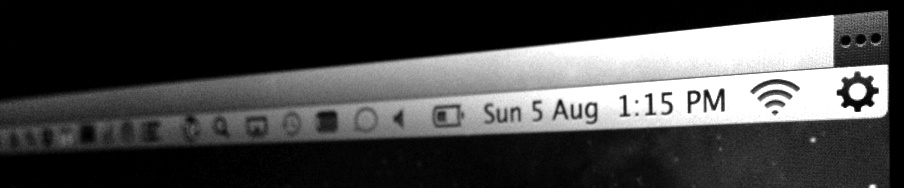
We’ve experienced a big jump in users with the release of Mountain Lion! This is due to the fantastic new Mountain Lion feature; Notification Center. Although its innovative, many users do not want this icon in their Menu Bar but wish to keep the feature. Bartender works perfect for this!
05 August 2012
NOTE: This is a old post and only relates to macOS up to macOS Sierra and older.
With the release of Mountain Lion, we now have the Fantastic Notification Center! The only issue many users have with Notification Center is the Menu Bar Icon it insists we all have if we want to use it….well…….unless you have Bartender!
Bartender allows you to control the Notification Center Menu Bar Item, either hiding it completely or having it in Bartenders Bar for access when you want. All Notification Center features still work as usual.
28 June 2012
Well WWDC was Fantastic! Great meeting so many developers and Apple Engineers from around the globe in one place. We had some interesting discussions and have some neat ideas for the future!
As for Bartender, we have been focusing on two branches, bug fixes and new features:
Fixing some nasty little bugs that have been causing crashes for some of our users, and preventing Bartender from installing for others. Spotlight and Launchbar are now fixed. You now have control regarding the auto-hiding of Bartender bar on and off; find this new feature in preferences. These are in release 0.9.07
New Features! We have been working on controlling individual Apple Menu system items, (we really miss the clock!). It’s looking promising, not ready for release yet, but we’re getting there. Also, we want better control of showing when an App updates it’s Menu bar icon. We discussed this area with Apple Engineers at WWDC, and have some leads on implementing this fine control within Bartender. All art work and UI are being updated to make Bartender Retina Ready. And finally, we are working on the best way to allow you to order your Menu bar items, both in the Menu bar and in Bartender. All these great new features are still in development and we hope to have most of them in the next release.
So with all the work in progress, release 0.9.07, is principally a stability and bug fix release.
Rest assured we are working on the features you all want and they will be coming soon.
29 May 2012
Wow its calming down a bit here now, so we have had time to do what we love most, code! We have just released 0.9.06 which includes lots of internal changes, lots of bug fixes, and some new features we are working on. Here’s a quick rundown of whats new! ….Drum roll please….
Please check out the new features and keep an eye for anything not quite right, let us know what next great feature you want!
We are now going to look at allowing you to reorder items in the Bartender Bar using CMD and drag, and hope to perhaps allow setting the order for items in the Menu Bar too. We want to see if we can control individual Menu Extra’s and have some in Bartender whilst others remain in the Menu Bar.
But first we are leaving this weekend for WWDC!! Wahooo! 2 weeks in San Francisco and cant wait. If you have any suggestions of stuff to do whilst there contact us and let us know! Planning to do the sights like the bridge and alcatraz before a little keynoting on Monday!
03 May 2012
Wow! Its been a crazy week for Bartender. We have been featured on many sites and blogs all around the world!! It turns out South Korea have a real issue with busy menu bars, and we are “big in Japan!”.
Hundreds of feedback emails have been reviewed, and are still flying in every hour. Fantastic to hear all your thoughts so keep them coming, have your say in making Bartender the best it can be! Read on for what we are working on currently:
We are working hard fixing a few app compatibility issues we have; this includes Clusters displaying twice, and other apps not working correctly when the menu bar item is removed and added back. This turned out to be quite a big change so we are carefully testing it lots before we release. The Clusters issue we have fixed for the next version.
Theres been reports of Bartender requiring high performance graphics on MacBook Pro’s that have dual graphics cards. This was due to some OpenGL drawing we did. We hope to have removed all need for OpenGL solving that issue.
We are looking into 1Password Helper as we really love 1Password and want this working! Same goes for LogMeIn.
A popular request is for Bartender Bar to automatically hide! This is trickier than it seems, as the apps in the bar can take focus (this is when a menu would normally hide) but it doesnt look good when using an item in the bar if it hides. As always, we will strive for the perfect solution. Watch this space!
System items and third party Menu Extra’s, these can already be hidden and arranged by holding down CMD and dragging, but users are wanting these in the Bartender Bar. Technically these are very different to Menu Bar Apps so we need to investigate further to see if we can add these to Bartenders Bar. We are looking into it.
Updates currently display for 5 seconds. In our internal build we have the time it displays selectable per app. We are also going to have this autoextend as updates come through, so a item that is continually updating shouldnt flash on and off. You will see this in an update soon!
We want to make the Bartender Bar match your menu bar style, as in transparency etc. We are also going to look into theming. Any suggestions or icon designs are welcome!
We have been looking into a bug that prevents apps from working till they are restarted or OS X is restarted. This is turning out to be difficult to fix without the restart. We are deciding if we should just bite the bullet and require the restart or suggest a restart when Bartender is installed? What do you think? Your feedback would be good on this.
There are still some crashes occurring which we are working to fix, and bugs we squish as we find.
Hope this gives you an idea of what we are currently looking into. Thanks again for all your thoughts!
BTW, Ben will be at the much anticipated WWDC 2012!! …so look out for him!
12 April 2012
The first public Beta of Bartender has just been released!
We are confident that most bugs have been squished, but by releasing as beta initially we hope that users testing with all their apps will make a rock solid version 1.0.
The plan is to keep Bartender free for as long as we are in Beta, but you can get a license at 50% off for those of you that just cannot wait!