Meet Bartender 7
Say hello to the best bartender ever - with fully optional screen recording, mouse-free menu bar management, and a fresh take on how you manage your menu bar. A couple of our favourite changes are below.
What's New
No screen recording required
Bartender 7 is the first version of Bartender to remove required screen recording & keep full functionality. If you don't want to give Bartender screen recording, you don't have to - we'll just show app icons instead of snapshots of their real bar items. We think it's better with it enabled, but the choice is yours now.
We've maintained our strict commitment to privacy here, so even if you enable screen recording, none of it leaves your device. We simply take captures of the menu bar items to show you in the layout pages & Bartender Bar, and they're cached on disk so the app can run faster.
Mouse-free menu bar management
Bartender is the first menu bar manager to control items in your menu bar without any mouse interruptions. This means instant swaps using triggers, toggling your entire bar on/off on click, and enables some new hotkeys, like our focus mode.
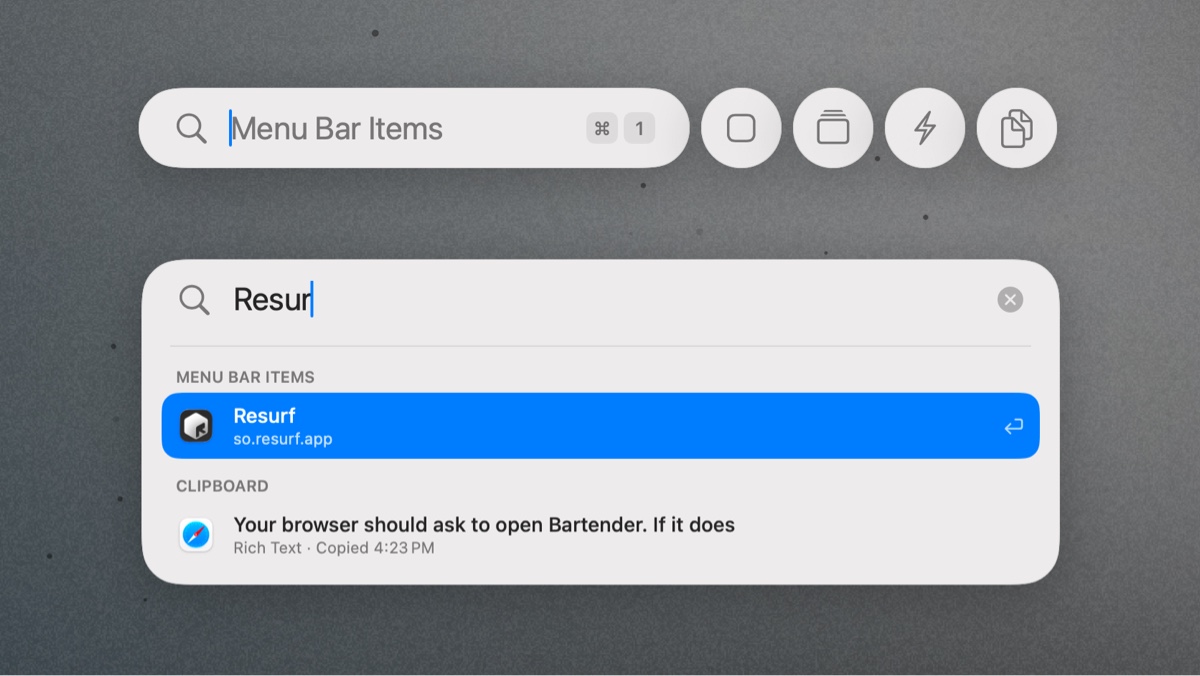
Command Bar
We've unified searching for Bar items and clipboard history for pro users into one command bar. You can show it with a hotkey, and it enables quickly searching bar items & showing them, switching presets & checking on your automations. This is the first step towards allowing you to use Bartender entirely with keyboard shortcuts.
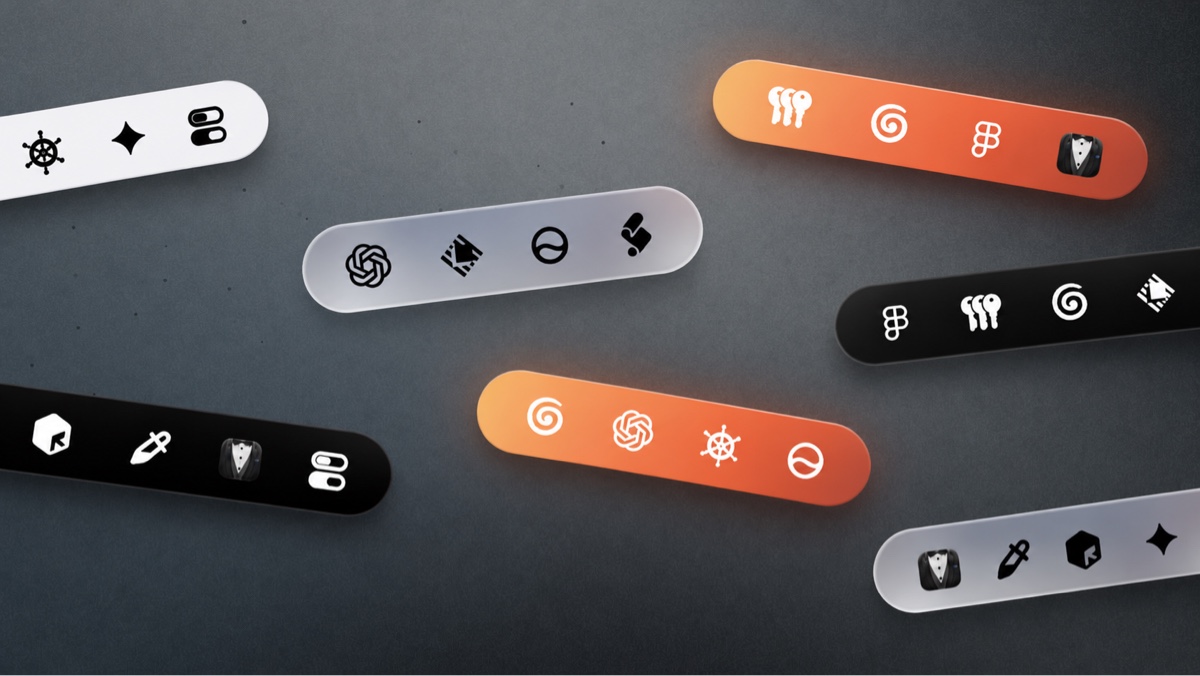
A new Bartender Bar
Bartender Bar has a new look in Bartender 7, and for the first time, those styles can be applied independently of your menu bar. This means you can have a perfectly standard menu bar, and give yourself a glassy-orange Bartender Bar if you fancy.
We've also shipped a big suite of improvements to how Bartender Bar behaves, meaning items should show more reliably, activate faster, and then dismiss when you're done with them instead of lingering around.
There's a brand new hotkey that lets you show Bartender Bar wherever your mouse is, so you don't have to move all the way up to check your items, or get them back in the bar. You can use this even if you've got Bartender Bar disabled.
If you've got screen recording disabled, we'll just show app icons in here instead.
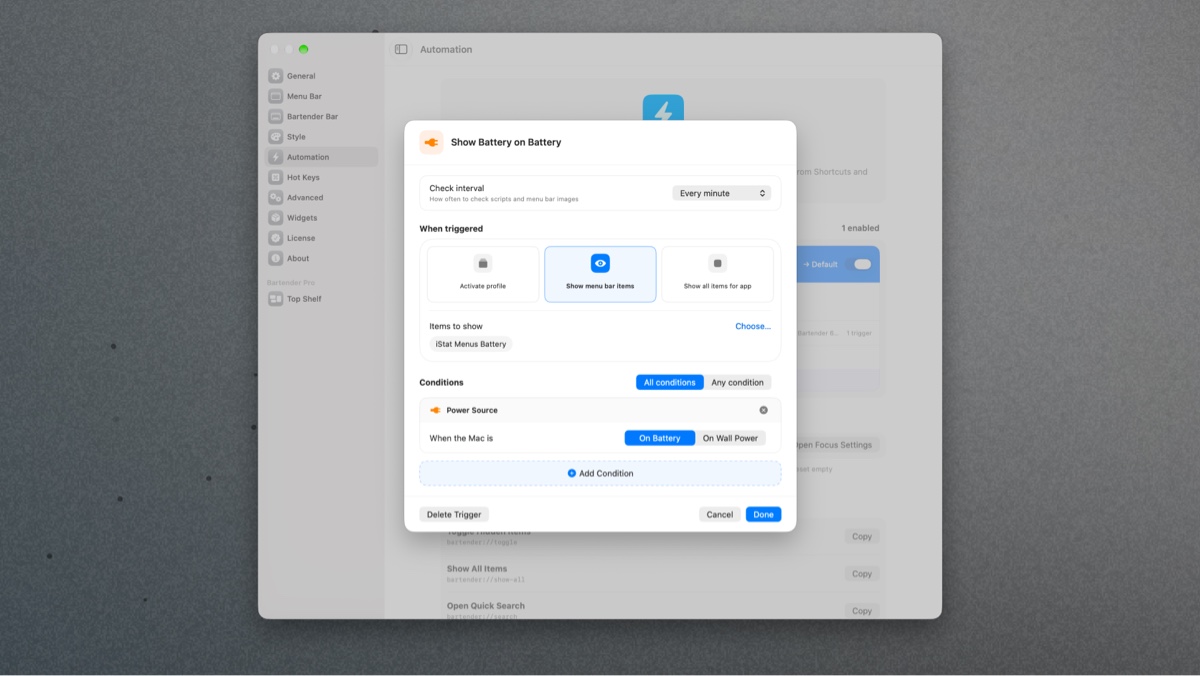
Automation
Triggers have never been easier to set up, and they've been extended with new conditions, like scheduling a menu bar update. Simple triggers are incredibly useful, like making sure you can see your battery level when you disconnect from the wall, or wifi when you're not at home. There are hundreds of possibilities, and you can extend them even further with custom scripts (but you don't have to).
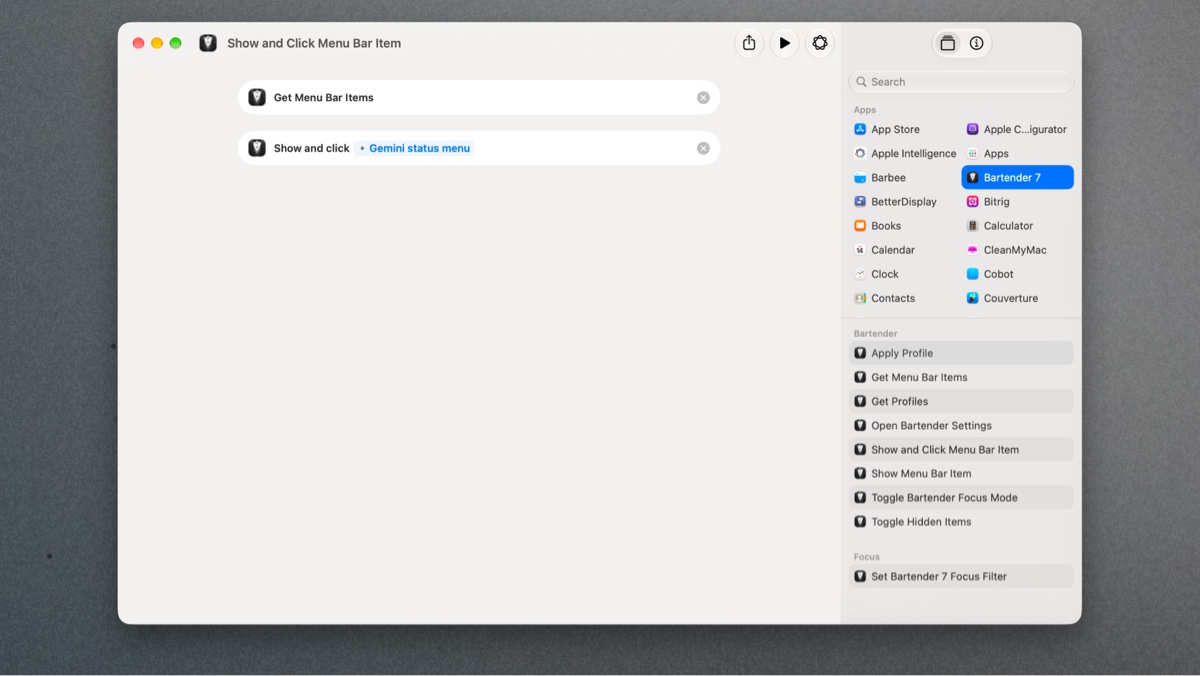
There's also a brand new suite of app intents available for you to control the app hands-off using Shortcuts, or even the new Siri. These same commands are available in an updated AppleScript, and will soon be available in an official Raycast extension. These commands are also agent friendly, so your robots can show things for you if you'd like.
Presets have some built-in automations so you can quickly swap your preset based on your monitors, showing everything on your desk, and dropping to a minimal setup when you're on a laptop.
Performance
We've continued our work from Bartender 6 to reduce Bartender's footprint, and we've reduced it even further than before. For most users, expect a memory footprint of < 100mb. If you see a higher impact, let us know, and we'll re-create your setup to find out why.
Energy usage has substantially reduced, and we'll soon be shipping both more improvements, and more configuration options to help you lower this even further on battery if you'd like to.
Get Bartender 7
Bartender 7 is $24.99 as a one-time purchase, which includes all future updates for Bartender 7. You can also grab Bartender Pro for $19.99 which includes all versions of Bartender for the duration of your subscription alongside Top Shelf. If you're looking for a lifetime option, Mega Supporter includes all the features of Pro, and every update for every version of Bartender.
Bartender 7 includes a four week trial for new users, and for those coming back to Bartender who had a trial before, we've given you two weeks free to get to know the new Bartender.
Alex @ Bartender